
Invisible Text | Invisible Character | Invisible Letter
Invisible Text
Generate, copy and analyze invisible Unicode text instantly.
How to Use Invisible Text?
Enter the text or choose how many invisible characters you need.
Select your preferred invisible Unicode character method.
Generate and copy the invisible text with one click.
An Invisible Text Generator creates text that looks empty while still containing Unicode characters. It can help you create invisible text, test text fields, and explore formatting options without manually searching for special characters.
Invisible text is made from characters that usually have no visible appearance. These characters can include zero-width characters and other Unicode characters that occupy little or no visible space.
This Invisible Text Generator makes the process simple. Enter your text, choose an available character method, generate the result, and use the copy button to copy it. You can also analyze pasted text for supported invisible characters.
| Feature | Details |
|---|---|
| Tool Name | Invisible Text Generator |
| Main Purpose | Generate invisible text |
| Text Type | Invisible / blank-looking Unicode characters |
| Copy Option | Yes |
| Character Counter | Yes |
| Free to Use | Yes |
| Browser Support | Modern browsers |
| Invisible Character Methods | 4 supported methods |
| Text Detection | Yes |
| Download Option | Yes |
| Paste Option | Yes |
| Reset Option | Yes |
What Is Invisible Text?
Invisible text is text containing characters that are technically present but normally have little or no visible appearance. Unlike ordinary letters, numbers, and punctuation, these characters may not produce an obvious shape on the screen.
The term can describe several kinds of invisible Unicode characters. Some are designed to have zero visible width, while others are used for text-processing or joining behavior. Their exact appearance and behavior depend on the application displaying them.
For example, a normal message such as Hello contains visible letters. An invisible character, by comparison, can be inserted into a text field without creating an obvious symbol. The field may therefore appear empty or unchanged even though a character exists.
This difference is important. Invisible text is not necessarily empty text. A text field can contain Unicode characters even when nothing visible appears inside it.
Invisible characters can be useful for legitimate testing, formatting, design experiments, and text-field behavior checks. However, they should always be used responsibly because different websites and applications may process them differently.
| Type | Visible Appearance | Character Exists | Typical Behavior |
|---|---|---|---|
| Normal letter | Visible | Yes | Displays normally |
| Normal space | Usually visible as spacing | Yes | Creates separation |
| Invisible character | Little or no visible appearance | Yes | Depends on platform |
| Zero-width character | Usually not visible | Yes | May affect text processing |
| Empty field | Nothing entered | No | Contains no character |
What Is an Invisible Text Generator?
An Invisible Text Generator is an online tool that helps users create blank-looking Unicode text without manually searching for special characters.
The process is much easier than finding Unicode characters individually. You enter text into the generator, select one of the available invisible character methods, and generate the output.
The current tool supports 4 methods:
- Zero Width Space — U+200B
- Word Joiner — U+2060
- Zero Width Non-Joiner — U+200C
- Zero Width Joiner — U+200D
The generator converts each input character into the selected invisible character. This means the resulting output contains invisible Unicode characters rather than the original visible letters.
After generating the output, you can use the Copy button to place the invisible result on your clipboard. The tool also provides download, paste, reset, and character-count functions.
The separate detection mode provides another useful function. You can paste text into the analyzer, and it checks for the 4 invisible character types supported by this tool.
Because Unicode handling differs between applications, generated text should always be tested in the specific platform or text field where you intend to use it.
| Function | What It Does |
|---|---|
| Text Input | Accepts text from the user |
| Character Method | Selects the invisible Unicode character |
| Generate | Creates invisible output |
| Copy | Copies generated output |
| Download | Saves the output as a text file |
| Paste | Reads available clipboard text |
| Reset | Clears the generator |
| Detection | Checks pasted text for supported invisible characters |
| Character Counter | Counts input and generated characters |
How to Use the Invisible Text Generator
Using the tool does not require special Unicode knowledge. The interface is designed around a simple enter, select, generate, and copy workflow.
1. Open the Invisible Text Generator
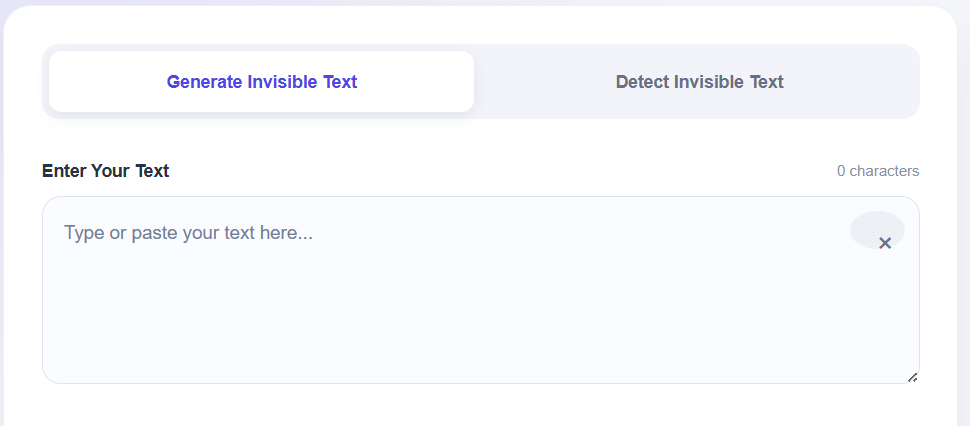
Open the tool in a modern browser. You will see the text input area and the available invisible character options.
2. Enter Your Text
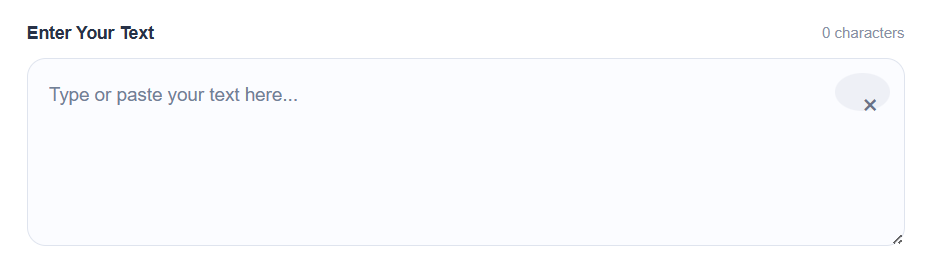
Type or paste your text into the input box. The tool displays a live character count while you enter content.
The tool accepts ordinary text, including letters, numbers, punctuation, and other characters that your browser can process.
3. Select an Invisible Character Method
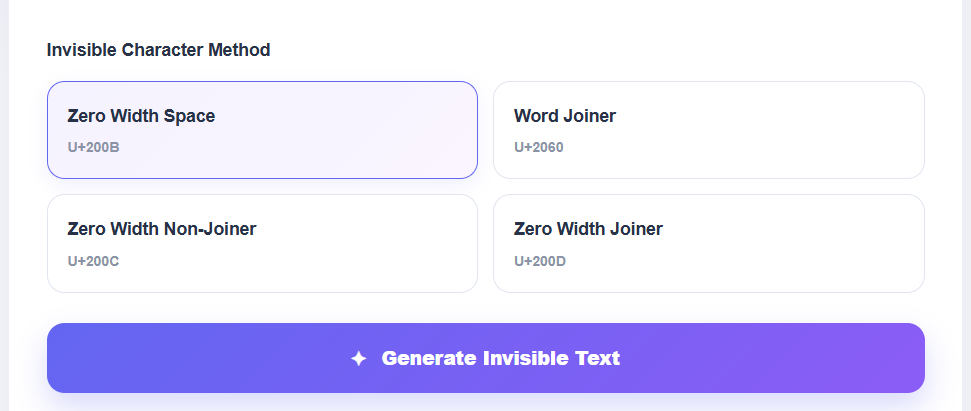
Choose one of the 4 available methods:
- U+200B Zero Width Space
- U+2060 Word Joiner
- U+200C Zero Width Non-Joiner
- U+200D Zero Width Joiner
Each method uses a different Unicode character, so their behavior can vary between platforms.
4. Generate Invisible Text

Click Generate Invisible Text. The tool creates an invisible output based on your selected method.
The generated result is placed in the output field, while the interface updates the generated character count.
5. Copy the Result
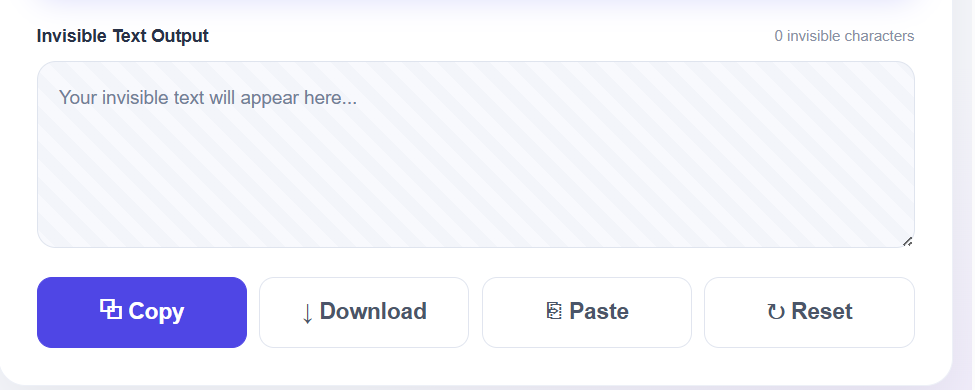
Click the Copy button to copy the generated invisible text.
If clipboard access is available in your browser, the tool uses it directly. The interface also provides feedback when copying succeeds.
6. Paste and Test
Paste the copied result into your intended application or text field.
Remember that invisible characters are not universally supported. A platform may accept, remove, normalize, or reject them.
7. Analyze Existing Text
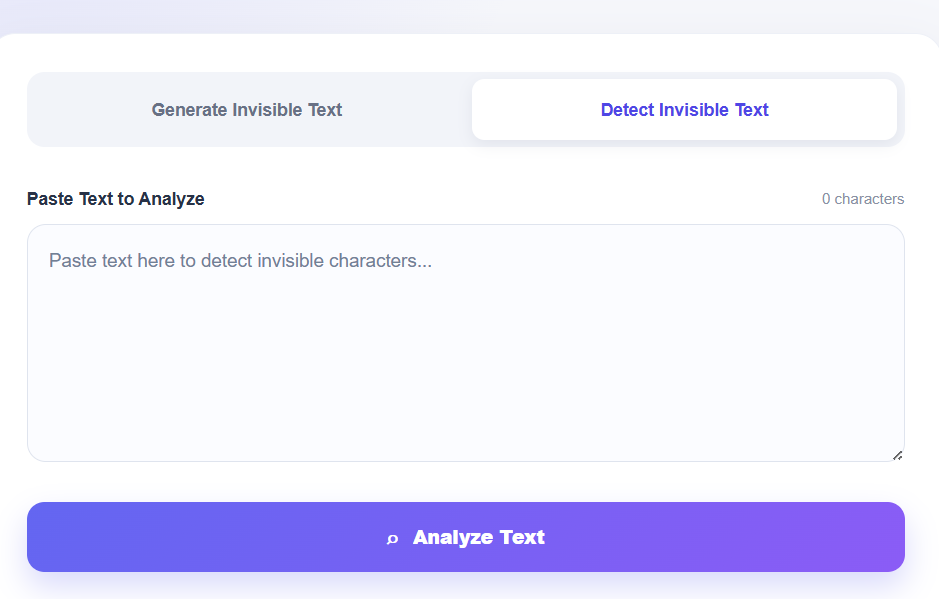
If you want to check text for invisible characters, switch to Detect Invisible Text mode.
Paste the text into the analyzer and click Analyze Text. The tool reports the total character count, invisible character count, visible character count, and supported Unicode types detected.
Types of Unicode & Invisible Empty Characters
| Unicode | Description | HTML Entity | Example |
|---|---|---|---|
| U+0020 | Space |   / | |
| U+0021 | Exclamation mark | ! | ! |
| U+0022 | Quotation mark | " / " | " |
| U+0023 | Number sign | # | # |
| U+0024 | Dollar sign | $ | $ |
| U+0025 | Percent sign | % | % |
| U+0026 | Ampersand | & / & | & |
| U+0027 | Apostrophe | ' | ' |
| U+0028 | Left parenthesis | ( | ( |
| U+0029 | Right parenthesis | ) | ) |
| U+002A | Asterisk | * | * |
| U+002B | Plus sign | + | + |
| U+002C | Comma | , | , |
| U+002D | Hyphen-minus | - | - |
| U+002E | Full stop | . | . |
| U+002F | Solidus | / | / |
| U+0030 | Digit zero | 0 | 0 |
| U+0031 | Digit one | 1 | 1 |
| U+0032 | Digit two | 2 | 2 |
| U+0033 | Digit three | 3 | 3 |
| U+0034 | Digit four | 4 | 4 |
| U+0035 | Digit five | 5 | 5 |
| U+0036 | Digit six | 6 | 6 |
| U+0037 | Digit seven | 7 | 7 |
| U+0038 | Digit eight | 8 | 8 |
| U+0039 | Digit nine | 9 | 9 |
| U+003A | Colon | : | : |
| U+003B | Semicolon | ; | ; |
| U+003C | Less-than sign | < / < | < |
| U+003D | Equals sign | = | = |
| U+003E | Greater-than sign | > / > | > |
| U+003F | Question mark | ? | ? |
| U+0040 | Commercial at | @ | @ |
| U+0041 | Latin capital letter A | A | A |
| U+0042 | Latin capital letter B | B | B |
| U+0043 | Latin capital letter C | C | C |
| U+0044 | Latin capital letter D | D | D |
| U+0045 | Latin capital letter E | E | E |
| U+0046 | Latin capital letter F | F | F |
| U+0047 | Latin capital letter G | G | G |
| U+0048 | Latin capital letter H | H | H |
| U+0049 | Latin capital letter I | I | I |
| U+004A | Latin capital letter J | J | J |
| U+004B | Latin capital letter K | K | K |
| U+004C | Latin capital letter L | L | L |
| U+004D | Latin capital letter M | M | M |
| U+004E | Latin capital letter N | N | N |
| U+004F | Latin capital letter O | O | O |
| U+0050 | Latin capital letter P | P | P |
| U+0051 | Latin capital letter Q | Q | Q |
| U+0052 | Latin capital letter R | R | R |
| U+0053 | Latin capital letter S | S | S |
| U+0054 | Latin capital letter T | T | T |
| U+0055 | Latin capital letter U | U | U |
| U+0056 | Latin capital letter V | V | V |
| U+0057 | Latin capital letter W | W | W |
| U+0058 | Latin capital letter X | X | X |
| U+0059 | Latin capital letter Y | Y | Y |
| U+005A | Latin capital letter Z | Z | Z |
| U+005B | Left square bracket | [ | [ |
| U+005C | Reverse solidus | \ | \ |
| U+005D | Right square bracket | ] | ] |
| U+005E | Circumflex accent | ^ | ^ |
| U+005F | Low line | _ | _ |
| U+0060 | Grave accent | ` | ` |
| U+0061 | Latin small letter a | a | a |
| U+0062 | Latin small letter b | b | b |
| U+0063 | Latin small letter c | c | c |
| U+0064 | Latin small letter d | d | d |
| U+0065 | Latin small letter e | e | e |
| U+0066 | Latin small letter f | f | f |
| U+0067 | Latin small letter g | g | g |
| U+0068 | Latin small letter h | h | h |
| U+0069 | Latin small letter i | i | i |
| U+006A | Latin small letter j | j | j |
| U+006B | Latin small letter k | k | k |
| U+006C | Latin small letter l | l | l |
| U+006D | Latin small letter m | m | m |
| U+006E | Latin small letter n | n | n |
| U+006F | Latin small letter o | o | o |
| U+0070 | Latin small letter p | p | p |
| U+0071 | Latin small letter q | q | q |
| U+0072 | Latin small letter r | r | r |
| U+0073 | Latin small letter s | s | s |
| U+0074 | Latin small letter t | t | t |
| U+0075 | Latin small letter u | u | u |
| U+0076 | Latin small letter v | v | v |
| U+0077 | Latin small letter w | w | w |
| U+0078 | Latin small letter x | x | x |
| U+0079 | Latin small letter y | y | y |
| U+007A | Latin small letter z | z | z |
| U+007B | Left curly bracket | { | { |
| U+007C | Vertical line | | | | |
| U+007D | Right curly bracket | } | } |
| U+007E | Tilde | ~ | ~ |
| U+007F | Delete |  | (control) |
| U+0080 | Control | € | (control) |
| U+0081 | Control |  | (control) |
| U+0082 | Break permitted here | ‚ | (control) |
| U+0083 | No break here | ƒ | (control) |
| Unicode | Description | HTML Entity | Example |
|---|---|---|---|
| U+0084 | Index | „ | (control) |
| U+0085 | Next line | … | (control) |
| U+0086 | Start of selected area | † | (control) |
| U+0087 | End of selected area | ‡ | (control) |
| U+0088 | Character tabulation set | ˆ | (control) |
| U+0089 | Character tabulation with justification | ‰ | (control) |
| U+008A | Line tabulation set | Š | (control) |
| U+008B | Partial line forward | ‹ | (control) |
| U+008C | Partial line backward | Π| (control) |
| U+008D | Reverse line feed |  | (control) |
| U+008E | Single-shift two | Ž | (control) |
| U+008F | Single-shift three |  | (control) |
| U+0090 | Device control string |  | (control) |
| U+0091 | Private use one | ‘ | (control) |
| U+0092 | Private use two | ’ | (control) |
| U+0093 | Set transmit state | “ | (control) |
| U+0094 | Cancel character | ” | (control) |
| U+0095 | Message waiting | • | (control) |
| U+0096 | Start of guarded area | – | (control) |
| U+0097 | End of guarded area | — | (control) |
| U+0098 | Start of string | ˜ | (control) |
| U+0099 | Single graphic character introducer | ™ | (control) |
| U+009A | Single character introducer | š | (control) |
| U+009B | Control sequence introducer | › | (control) |
| U+009C | String terminator | œ | (control) |
| U+009D | Operating system command |  | (control) |
| U+009E | Privacy message | ž | (control) |
| U+009F | Application program command | Ÿ | (control) |
| U+00A0 | No-break space |   / | |
| U+00A1 | Inverted exclamation mark | ¡ / ¡ | ¡ |
| U+00A2 | Cent sign | ¢ / ¢ | ¢ |
| U+00A3 | Pound sign | £ / £ | £ |
| U+00A4 | Currency sign | ¤ / ¤ | ¤ |
| U+00A5 | Yen sign | ¥ / ¥ | ¥ |
| U+00A6 | Broken bar | ¦ / ¦ | ¦ |
| U+00A7 | Section sign | § / § | § |
| U+00A8 | Diaeresis | ¨ / ¨ | ¨ |
| U+00A9 | Copyright sign | © / © | © |
| U+00AA | Feminine ordinal indicator | ª / ª | ª |
| U+00AB | Left-pointing double angle quotation mark | « / « | « |
| U+00AC | Not sign | ¬ / ¬ | ¬ |
| U+00AD | Soft hyphen | ­ / ­ | |
| U+00AE | Registered sign | ® / ® | ® |
| U+00AF | Macron | ¯ / ¯ | ¯ |
| U+00B0 | Degree sign | ° / ° | ° |
| U+00B1 | Plus-minus sign | ± / ± | ± |
| U+00B2 | Superscript two | ² / ² | ² |
| U+00B3 | Superscript three | ³ / ³ | ³ |
| U+00B4 | Acute accent | ´ / ´ | ´ |
| U+00B5 | Micro sign | µ / µ | µ |
| U+00B6 | Pilcrow sign | ¶ / ¶ | ¶ |
| U+00B7 | Middle dot | · / · | · |
| U+00B8 | Cedilla | ¸ / ¸ | ¸ |
| U+00B9 | Superscript one | ¹ / ¹ | ¹ |
| U+00BA | Masculine ordinal indicator | º / º | º |
| U+00BB | Right-pointing double angle quotation mark | » / » | » |
| U+00BC | Vulgar fraction one quarter | ¼ / ¼ | ¼ |
| U+00BD | Vulgar fraction one half | ½ / ½ | ½ |
| U+00BE | Vulgar fraction three quarters | ¾ / ¾ | ¾ |
| U+00BF | Inverted question mark | ¿ / ¿ | ¿ |
| U+00C0 | Latin capital letter A with grave | À / À | À |
| U+00C1 | Latin capital letter A with acute | Á / Á | Á |
| U+00C2 | Latin capital letter A with circumflex | Â / Â | Â |
| U+00C3 | Latin capital letter A with tilde | Ã / Ã | Ã |
| U+00C4 | Latin capital letter A with diaeresis | Ä / Ä | Ä |
| U+00C5 | Latin capital letter A with ring above | Å / Å | Å |
| U+00C6 | Latin capital letter AE | Æ / Æ | Æ |
| U+00C7 | Latin capital letter C with cedilla | Ç / Ç | Ç |
| U+00C8 | Latin capital letter E with grave | È / È | È |
| U+00C9 | Latin capital letter E with acute | É / É | É |
| U+00CA | Latin capital letter E with circumflex | Ê / Ê | Ê |
| U+00CB | Latin capital letter E with diaeresis | Ë / Ë | Ë |
| U+00CC | Latin capital letter I with grave | Ì / Ì | Ì |
| U+00CD | Latin capital letter I with acute | Í / Í | Í |
| U+00CE | Latin capital letter I with circumflex | Î / Î | Î |
| U+00CF | Latin capital letter I with diaeresis | Ï / Ï | Ï |
| U+00D0 | Latin capital letter Eth | Ð / Ð | Ð |
| U+00D1 | Latin capital letter N with tilde | Ñ / Ñ | Ñ |
| U+00D2 | Latin capital letter O with grave | Ò / Ò | Ò |
| U+00D3 | Latin capital letter O with acute | Ó / Ó | Ó |
| U+00D4 | Latin capital letter O with circumflex | Ô / Ô | Ô |
| U+00D5 | Latin capital letter O with tilde | Õ / Õ | Õ |
| U+00D6 | Latin capital letter O with diaeresis | Ö / Ö | Ö |
| U+00D7 | Multiplication sign | × / × | × |
| U+00D8 | Latin capital letter O with stroke | Ø / Ø | Ø |
| U+00D9 | Latin capital letter U with grave | Ù / Ù | Ù |
| U+00DA | Latin capital letter U with acute | Ú / Ú | Ú |
| U+00DB | Latin capital letter U with circumflex | Û / Û | Û |
| U+00DC | Latin capital letter U with diaeresis | Ü / Ü | Ü |
| U+00DD | Latin capital letter Y with acute | Ý / Ý | Ý |
| U+00DE | Latin capital letter Thorn | Þ / Þ | Þ |
| U+00DF | Latin small letter sharp s (eszett) | ß / ß | ß |
| U+00E0 | Latin small letter a with grave | à / à | à |
| U+00E1 | Latin small letter a with acute | á / á | á |
| U+00E2 | Latin small letter a with circumflex | â / â | â |
| U+00E3 | Latin small letter a with tilde | ã / ã | ã |
| U+00E4 | Latin small letter a with diaeresis | ä / ä | ä |
| U+00E5 | Latin small letter a with ring above | å / å | å |
| U+00E6 | Latin small letter ae | æ / æ | æ |
| U+00E7 | Latin small letter c with cedilla | ç / ç | ç |
Invisible Text Generator Features
Invisible Text Generator Features
Everything you need to generate, copy, download and analyze invisible Unicode text from one simple tool.
Generate Invisible Text
Create blank-looking text using invisible Unicode characters with a simple click.
One-Click Copy
Copy your generated invisible text instantly using the convenient copy button.
Download as TXT
Save your generated invisible text as a plain text file for later use or testing.
Character Counter
See your input and generated invisible character counts while working with the tool.
4 Unicode Methods
Choose from U+200B, U+2060, U+200C and U+200D invisible character methods.
Detect Invisible Text
Analyze pasted text and check whether supported invisible Unicode characters are present.
Quick Reset
Clear your current input and generated output instantly with the reset option.
Paste from Clipboard
Paste available clipboard text directly into the generator with the paste option.
The tool combines generation and detection functions in a single interface. Its main purpose is to make invisible Unicode generation simple while also giving users basic information about the generated or pasted text.
Generate Invisible Text
The main generator accepts user input and creates invisible output using the selected Unicode character method.
Multiple Character Methods
The tool provides 4 methods instead of relying on a single invisible character. This is useful because different platforms can handle Unicode characters differently.
Copy Invisible Text
The one-click Copy button makes it easier to transfer generated output to another application.
Download Invisible Text
The Download button saves the generated output as a plain text file. This can be useful when you need to keep the generated result for later testing.
Paste Function
The Paste button attempts to read text from the browser clipboard and place it into the main input area.
Reset Function
The Reset button clears the input and generated output so you can start another conversion.
Character Counters
The generator displays the number of input characters and generated invisible characters. The detection tool also reports character information for pasted content.
Invisible Text Detection
The detection mode searches for the 4 Unicode characters supported by the tool and reports how many occurrences it finds.
Mobile-Friendly Interface
The interface is responsive and adapts to smaller screens. Buttons, text fields, method selections, and information cards are arranged for easier use on mobile devices.
| Feature | Available |
|---|---|
| Generate invisible text | Yes |
| Copy invisible text | Yes |
| Download output | Yes |
| Paste from clipboard | Yes |
| Reset tool | Yes |
| Live input counter | Yes |
| Generated character counter | Yes |
| Multiple Unicode methods | Yes |
| Invisible text detection | Yes |
| Mobile-friendly layout | Yes |
| Custom character length | No |
| External software required | No |
What Are Invisible Characters?
Invisible characters are Unicode characters that may not have an obvious visual representation when displayed.
Unicode is a standard that assigns codes to characters used by computers and digital systems. Regular letters have Unicode code points, and special characters can also have their own code points.
The Invisible Text Generator currently supports 4 specific characters: U+200B, U+2060, U+200C, and U+200D.
Some of these are commonly associated with zero-width or invisible text behavior. However, they do not all have identical purposes or behavior. For example, a zero-width joiner can influence how certain character sequences are rendered, while a word joiner has different text-processing behavior.
This is why it is better to describe them as specific Unicode characters rather than treating every invisible character as identical.
Websites can also apply filtering or text normalization. A platform may remove unusual characters, change their representation, or prevent them from being submitted.
| Character | Unicode Code Point | Common Description |
|---|---|---|
| Zero Width Space | U+200B | Zero-width formatting character |
| Word Joiner | U+2060 | Prevents certain line-breaking behavior |
| Zero Width Non-Joiner | U+200C | Affects joining behavior in supported scripts |
| Zero Width Joiner | U+200D | Can affect joining or rendering behavior |
| Normal Space | U+0020 | Visible spacing between content |
Invisible Text vs Blank Text
Invisible text and blank text may look similar, but they work differently. Understanding the difference helps you choose the right type for your needs.
Invisible Text
Unicode CharactersInvisible text uses special Unicode characters that occupy space in a text field while remaining visually hidden.
- ✓ Contains invisible Unicode characters
- ✓ Can be copied and pasted
- ✓ May affect character counts
- ✓ Useful for formatting and text experiments
Blank Text
Empty AppearanceBlank text generally refers to empty-looking content. Depending on the method used, it may contain whitespace or simply have no visible content.
- ✓ Usually appears completely empty
- ✓ May use spaces or whitespace
- ✓ Behavior depends on the platform
- ✓ Often used where empty-looking content is needed
Key Differences
| Feature | Invisible Text | Blank Text |
|---|---|---|
| Visible on screen | No | Usually No |
| Contains characters | Yes | Depends |
| Uses Unicode | Yes | Sometimes |
| Can be copied | Yes | Depends |
| Character count | May increase | Varies |
| Platform compatibility | Varies | Varies |
If you need text that contains hidden Unicode characters, use invisible text. If you simply need content that appears empty, blank text may be sufficient.
| Feature | Invisible Text | Blank Text |
|---|---|---|
| Appearance | Appears empty | Appears empty |
| Character Exists | Yes | Depends on method |
| Unicode Based | Often | Sometimes |
| Copyable | Usually | Depends |
| Platform Support | Varies | Varies |
| Character Count | May count | Depends |
| Processing | Platform-dependent | Platform-dependent |
The important point is that empty-looking does not always mean empty.
Where Can You Use Invisible Text?
Invisible characters can have legitimate applications in testing, formatting, interface experiments, and content design.
For example, developers may use unusual Unicode characters while testing text inputs. Designers can also experiment with how applications handle character spacing, joining behavior, and text rendering.
Content creators may encounter invisible characters when testing formatting or preparing content for systems that support them. Website owners can use the generator to investigate how their own forms handle unusual Unicode input.
Some social platforms and messaging applications may accept invisible characters in specific fields, but this should never be assumed. Platform compatibility varies, and some services actively clean unusual characters.
The tool is best used for experimentation and supported formatting rather than deceptive purposes.
| Use Case | Example |
|---|---|
| Text-field testing | Checking how a form handles Unicode |
| Formatting experiments | Testing character behavior |
| UI testing | Checking empty-looking input states |
| Content experiments | Exploring text rendering |
| Design work | Testing spacing and joining behavior |
| Social profiles | Testing supported profile fields |
| Messaging | Testing supported text fields |
| Website development | Testing Unicode input handling |
Do not use invisible characters to spam users, impersonate someone, bypass moderation, or conceal harmful content.
| Platform Type | Possible Behavior |
|---|---|
| Social profile | May accept or reject characters |
| Username field | May have strict restrictions |
| Caption field | May process Unicode differently |
| Messaging field | Depends on application |
| Comment field | May filter unusual characters |
| Bio field | Depends on platform rules |
Invisible Text for Gaming
Invisible characters can be useful in certain gaming-related text fields, usernames, chat messages, clan tags, and formatting experiments. Support depends on the game and the specific field.
Experiment With Invisible Characters in Gaming
Some games and gaming platforms accept Unicode characters that do not produce a visible symbol. This can create empty-looking spaces or unusual text layouts when the platform allows those characters.
Gaming Usernames
Invisible Unicode characters can be tested in supported username or display-name fields to create different spacing effects.
Game Chat
In games that preserve invisible Unicode characters, they can be tested inside chat messages or text-based communication fields.
Clan Tags & Teams
Some gaming systems may allow invisible characters in clan names, team labels, or other customizable text fields.
Text Formatting
Invisible characters can also be used for spacing and layout experiments in gaming profiles and supported text editors.
Invisible Characters You Can Test
Gaming Compatibility Can Vary
Not every game accepts invisible Unicode characters. Some games may remove, block, normalize, or replace them. Always test the generated text in the specific game or platform before relying on it.
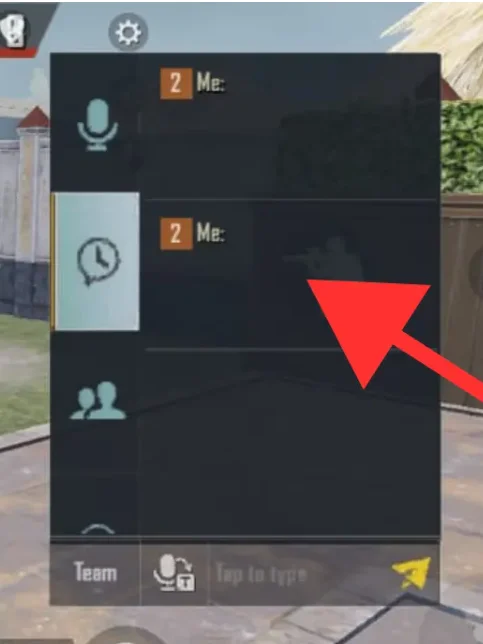
Invisible text can also attract interest from gamers experimenting with username formatting, profile text, and character behavior.
Some games and gaming platforms allow a broader range of Unicode characters, while others restrict usernames to specific alphabets or character sets.
The generator can help users create and test Unicode characters before trying them in a supported game field. However, there is no guarantee that a particular game will accept the generated result.
Game developers may also normalize usernames, reject zero-width characters, or apply restrictions to prevent confusing or problematic names.
Always follow the game’s username rules and community guidelines. Invisible characters should not be used to bypass bans, moderation, filters, security systems, or other restrictions.
| Gaming Use | Consideration |
|---|---|
| Username testing | Game restrictions may apply |
| Profile formatting | Unicode support varies |
| Clan formatting | Platform rules may differ |
| Community text | Characters may be filtered |
| Character experiments | Test before relying on the result |
How Does Invisible Text Work?
Invisible text works by using special Unicode characters that look empty but are still recognized as real characters by computers, websites, and messaging apps. When you copy and paste them, the space may appear blank even though the text field contains an actual character.
Special Characters Are Used
Invisible text generators use Unicode characters such as the Hangul Filler, Zero Width Space, or Braille Blank. These characters do not normally display visible symbols on your screen.
The Character Is Still Real
Although the character looks like an empty space, your device still treats it as text. This allows it to be copied, pasted, stored, and processed by many applications.
Copy and Paste It
After generating your invisible text, simply copy it to your clipboard and paste it into supported websites, chats, profiles, games, or other text fields.
It looks empty, but it isn’t actually empty.
Normal spaces and invisible Unicode characters are different. A regular space is usually created by pressing the spacebar, while invisible Unicode characters have their own unique code points. Because of this, an application can recognize the character even when there is nothing visibly displayed.
Not every website or application supports every invisible Unicode character. If one type does not work, try another invisible character supported by the platform.
| Technical Element | Simple Explanation |
|---|---|
| Unicode | Standard system for representing characters |
| Code point | Numeric identifier assigned to a character |
| Encoding | Method used to store and transmit characters |
| Rendering | Turning character data into visible output |
| Font | Defines visual glyphs for supported characters |
| Zero-width character | Character that may have little or no visible width |
| Filtering | Process that removes or rejects selected characters |
Benefits of Using an Invisible Text Generator
An invisible text generator makes it easy to create, copy, and use blank-looking Unicode characters for social media, messaging apps, gaming profiles, usernames, bios, and other supported platforms.
Generate Invisible Text Instantly
Create invisible or blank-looking text within seconds without manually searching for special Unicode characters.
Easy Copy and Paste
Copy your generated invisible character with one click and paste it into supported apps, websites, chats, profiles, and text fields.
Works Across Many Platforms
Invisible Unicode characters can be useful on platforms such as WhatsApp, Messenger, Discord, TikTok, Instagram, YouTube, and games that support them.
Create Unique Profiles
Add blank-looking characters to supported usernames, bios, display names, and profile sections to create a different visual appearance.
Useful for Gaming
Invisible characters can be used for certain gaming usernames, clan names, profile names, and other supported text fields.
No Personal Information Required
A basic invisible text generator can be used directly in your browser without creating an account or providing personal details.
Free and Simple to Use
Generate invisible text without complicated settings. Simply generate the character, copy it, and use it wherever supported.
Works Directly in Your Browser
There is no software to install. You can generate and copy invisible Unicode text directly from your phone, tablet, or computer browser.
One Tool, Multiple Uses
Whether you need invisible text for a social media bio, a blank message, a gaming profile, or a creative username, an invisible text generator gives you a quick way to create and copy special Unicode-based characters.
Limitations of Invisible Text
Invisible text can be useful for many creative purposes, but it does have some limitations. Support depends on the Unicode character, device, browser, website, and application you are using.
Not Supported Everywhere
Some websites, apps, and games may not accept invisible Unicode characters. A character that works on one platform may not work correctly on another.
Characters May Behave Differently
Different invisible characters have different properties. Some may create visible spacing, while others may be removed or interpreted differently by an application.
Platform Rules Can Change
Social media platforms and messaging services can change how they process Unicode characters. An invisible character that works today may not behave the same way after a platform update.
Invisible Does Not Mean Undetectable
Invisible text is visually hidden, but it is still data. Websites and applications can potentially detect, count, remove, or restrict unusual Unicode characters.
Can Affect Character Limits
Some platforms count invisible Unicode characters toward character limits even though they are not visible on the screen. This can affect usernames, messages, bios, and other text fields.
Copy and Paste May Not Always Work
Certain apps may automatically trim, normalize, or remove invisible characters when text is copied, pasted, edited, or submitted.
Always test invisible text before using it
If an invisible character does not work on a particular website or app, try another supported Unicode character. Results can vary depending on the platform and the way it handles Unicode text.
Invisible Text Generator vs Manual Method
You can create invisible text by manually finding and copying special Unicode characters, but an invisible text generator makes the process much faster, easier, and more convenient.
Invisible Text Generator
-
✓
Fast and convenient Create invisible text within a few clicks.
-
✓
Easy to use No need to search for Unicode characters manually.
-
✓
Copy with one click Quickly copy the generated character to your clipboard.
-
✓
Multiple characters available Try different invisible characters when needed.
-
✓
Beginner friendly No technical knowledge is required.
Manual Method
-
•
Requires searching You need to find a suitable invisible Unicode character.
-
•
More time consuming Finding and testing characters can take extra time.
-
•
Easy to make mistakes You may accidentally copy additional visible characters.
-
•
Limited convenience Different characters may need to be searched separately.
-
•
Less beginner friendly Understanding Unicode characters can be confusing.
Quick Comparison
See which method is more convenient for everyday use.
| Feature | Invisible Text Generator | Manual Method |
|---|---|---|
| Speed | ✓ Fast | Slower |
| Ease of use | ✓ Very easy | Requires extra steps |
| Finding Unicode characters | ✓ Not necessary | Usually required |
| One-click copy | ✓ Yes | Depends on method |
| Multiple options | ✓ Easy to test | Requires searching |
| Beginner friendly | ✓ Yes | Can be confusing |
| Best for frequent use | ✓ Recommended | Less convenient |
Use a generator when you want invisible text quickly and easily.
The manual method can work if you already know the Unicode character you need. However, an invisible text generator removes the need to search, identify, and copy characters manually, making it a simpler option for most users.
Why Is My Invisible Text Not Working?
Invisible text does not work everywhere because websites and applications control how Unicode characters are processed.
The most common reason is platform filtering. A website may automatically remove invisible characters before saving the content.
Another possibility is that the input field only allows certain character types. Usernames, account IDs, search fields, and other structured inputs often have stricter validation.
Browser behavior can also differ, particularly when clipboard permissions are involved. The generator itself may successfully create the characters while the destination platform later removes them.
Practical Troubleshooting
- Generate the text again using another supported method.
- Copy the complete generated output.
- Paste it into a simple text field for testing.
- Use the tool’s detection mode to check the pasted result.
- Try the target platform again.
- Check the platform’s character or username restrictions.
- Test a different supported Unicode method.
If all methods fail, the destination platform may simply not support or permit those characters.
Common Invisible Text Mistakes
Invisible text can be confusing because the characters are difficult to see. A small copying or platform-processing difference can change the result.
One common mistake is assuming that all invisible characters behave identically. They do not. The 4 supported characters in this tool have different Unicode identities and purposes.
Another mistake is assuming that a successful copy means the destination platform will accept the content. Copying and platform validation are separate processes.
| Mistake | Solution |
|---|---|
| Copying only part of the output | Select and copy the complete result |
| Assuming every method behaves identically | Test another supported method |
| Adding visible spaces accidentally | Check the pasted content carefully |
| Assuming universal compatibility | Test the target platform |
| Ignoring character limits | Check the destination field rules |
| Not testing the result | Use the detection feature |
| Repeatedly pasting without checking | Confirm the result after each attempt |
Invisible Text vs Fancy Text
Invisible text and fancy text both use special characters, but they are designed for different purposes. Invisible text appears blank, while fancy text makes words look decorative and stylish.
Invisible Text
Looks empty or blank
The character usually has no visible symbol.
Special Unicode characters can create a blank appearance.
Can be used where invisible characters are supported.
Can be used in supported usernames and bios.
Fancy Text
Looks decorative and stylish
The characters are designed to be seen clearly.
Special characters can create different text styles.
Popular for bios, captions, names, and posts.
The goal is to make normal text look different.
What Is the Main Difference?
A simple way to understand both text types.
Makes text or characters appear blank while still containing character data.
Changes normal letters into decorative characters that remain visible.
Invisible Text vs Fancy Text: Quick Comparison
Compare their main features at a glance.
| Feature | Invisible Text | Fancy Text |
|---|---|---|
| Appearance | Blank / Invisible | Stylish / Decorative |
| Uses Unicode | Yes | Yes |
| Visible characters | Usually no | Yes |
| Blank messages | Suitable where supported | Not its purpose |
| Social media bios | Some uses | Very common |
| Decorative text | No | Yes |
| Main purpose | Creating blank-looking text | Making text look stylish |
Choose based on the effect you want.
Use an invisible text generator when you want characters that appear blank. Choose a fancy text generator when you want visible, decorative, or stylish letters for social media profiles, captions, and names.
Is Invisible Text Safe to Use?
Invisible characters are generally ordinary Unicode text characters, but their behavior depends on the software processing them.
Using them for legitimate testing, formatting experiments, or supported content purposes is generally straightforward. Problems arise when invisible characters are intentionally used to conceal information or evade controls.
Invisible text should not be used for spam, fraud, impersonation, malicious links, or moderation bypassing.
It is also important to remember that invisible does not mean undetectable. Software can inspect the underlying Unicode characters even when they are not visually obvious.
Responsible use means understanding how the destination platform handles Unicode and following its rules.
Invisible Text for Content Formatting
Invisible characters can be useful for content-formatting experiments when the destination system supports them.
Content creators and website owners may use the generator to test how their content systems handle Unicode characters. This can be particularly useful when developing forms, editors, profiles, or other interfaces.
For example, a developer may want to know whether a text field counts an invisible character. A content creator may want to understand whether a publishing system removes zero-width characters.
The important distinction is between legitimate formatting experiments and attempts to hide information from users or systems.
Always check how your publishing platform handles the generated characters before using them in published content.
Invisible Text Examples
Because invisible characters are designed to have little or no visible appearance, examples can be difficult to display directly.
For reference, the tool supports these Unicode code points:
- U+200B — Zero Width Space
- U+2060 — Word Joiner
- U+200C — Zero Width Non-Joiner
- U+200D — Zero Width Joiner
A simple conceptual example is:
Visible text + [invisible character] + visible text
The [invisible character] label above represents a character that may not visibly appear. It is not the actual character.
The generator can create multiple invisible characters based on the number of characters entered. For example, entering a short 5-character input produces an output containing 5 generated invisible characters using the selected method.
Different methods may produce different results when processed by a website or application.
| Example | Result |
|---|---|
| U+200B | Blank-looking Unicode character |
| U+2060 | Blank-looking Unicode character |
| U+200C | Blank-looking Unicode character |
| U+200D | Blank-looking Unicode character |
| Multiple characters | Repeated invisible Unicode characters |
| Mixed platform testing | Results may vary |
Invisible Text Generator vs Manual Method
You can create invisible text by manually finding and copying special Unicode characters, but an invisible text generator makes the process much faster, easier, and more convenient.
Invisible Text Generator
-
✓
Fast and convenient Create invisible text within a few clicks.
-
✓
Easy to use No need to search for Unicode characters manually.
-
✓
Copy with one click Quickly copy the generated character to your clipboard.
-
✓
Multiple characters available Try different invisible characters when needed.
-
✓
Beginner friendly No technical knowledge is required.
Manual Method
-
•
Requires searching You need to find a suitable invisible Unicode character.
-
•
More time consuming Finding and testing characters can take extra time.
-
•
Easy to make mistakes You may accidentally copy additional visible characters.
-
•
Limited convenience Different characters may need to be searched separately.
-
•
Less beginner friendly Understanding Unicode characters can be confusing.
Quick Comparison
See which method is more convenient for everyday use.
| Feature | Invisible Text Generator | Manual Method |
|---|---|---|
| Speed | ✓ Fast | Slower |
| Ease of use | ✓ Very easy | Requires extra steps |
| Finding Unicode characters | ✓ Not necessary | Usually required |
| One-click copy | ✓ Yes | Depends on method |
| Multiple options | ✓ Easy to test | Requires searching |
| Beginner friendly | ✓ Yes | Can be confusing |
| Best for frequent use | ✓ Recommended | Less convenient |
Use a generator when you want invisible text quickly and easily.
The manual method can work if you already know the Unicode character you need. However, an invisible text generator removes the need to search, identify, and copy characters manually, making it a simpler option for most users.
Who Can Use an Invisible Text Generator?
An Invisible Text Generator can be useful for many people working with digital text and Unicode characters.
Social media users may want to experiment with supported text fields. Gamers can test character behavior within games that permit Unicode. Developers can use the tool while testing forms and text-processing systems.
Designers and content creators can also use it for formatting experiments. Students may find it useful for understanding basic Unicode behavior, while website owners can test how their own forms process unusual characters.
The tool does not require programming knowledge, making it accessible to beginners as well as technical users.
| Audience | Possible Use |
|---|---|
| Social media users | Test supported profile fields |
| Gamers | Experiment with allowed Unicode |
| Developers | Test text inputs |
| Designers | Explore text rendering |
| Content creators | Test formatting behavior |
| Students | Learn about Unicode characters |
| Website owners | Test form validation |
| Researchers | Experiment with text behavior |
Frequently Asked Questions
What is an Invisible Text Generator?
An Invisible Text Generator is an online tool that creates blank-looking Unicode characters. You enter text, choose one of the supported methods, and generate invisible output. This tool supports 4 Unicode methods, including U+200B, U+2060, U+200C, and U+200D. The generated output can then be copied, downloaded, or tested in another text field.
How do I generate invisible text?
Enter your text into the generator and select an available invisible character method. Click the Generate Invisible Text button to create the output. The tool displays the generated result and its character count. You can then use the Copy button to copy the invisible text. Remember that the destination platform may process or reject the characters.
Is invisible text really empty?
No. Invisible text can look empty while still containing actual Unicode characters. This is different from an empty input field, which contains no characters. Invisible characters may still be counted by software, stored in databases, or detected by applications. Their visual appearance depends on how the browser, application, font, and platform process the underlying Unicode data.
What is an invisible Unicode character?
An invisible Unicode character is a Unicode character that can have little or no visible appearance in certain contexts. The tool supports U+200B, U+2060, U+200C, and U+200D. These characters do not all have exactly the same purpose or behavior. Their results can change depending on the application processing the text.
Can I copy invisible text?
Yes. The tool includes a dedicated Copy button for generated invisible text. After generating the output, click Copy to place the result on your clipboard. Clipboard access depends on your browser and its permissions. If you paste the result into another application, that application may still remove, modify, or reject the invisible characters.
Does invisible text work on Instagram?
Invisible text may work in some Instagram fields, but compatibility is not guaranteed. Social platforms can change their validation and text-processing rules. Instagram may also treat different Unicode characters differently. If you want to test a generated result, copy it from the tool and try it in the specific Instagram field where you intend to use it.
Does invisible text work on WhatsApp?
WhatsApp may handle invisible Unicode characters differently depending on the context. A character can be accepted in one situation and processed differently in another. The Invisible Text Generator cannot guarantee WhatsApp compatibility. Generate the text, copy it, and test the result directly in the intended WhatsApp field before relying on it.
Does invisible text work in games?
Some games accept unusual Unicode characters, while others restrict usernames and profile fields. Therefore, invisible text may work in one game but fail in another. Always follow the game’s username restrictions and community rules. Do not use invisible characters to bypass moderation, bans, filters, or security controls.
Why is my invisible text not working?
The destination platform may be filtering or removing invisible Unicode characters. Other possibilities include unsupported characters, strict input validation, character limits, browser differences, or automatic text normalization. Try another supported method and test the result again. If none of the methods work, the platform may simply not allow those characters.
Is invisible text safe?
Invisible characters are generally ordinary Unicode text characters, but responsible use is important. They can be useful for testing and formatting experiments. They should not be used for spam, fraud, impersonation, malicious content, or bypassing platform restrictions. Invisible does not mean undetectable because software can inspect the underlying character data.
Is the Invisible Text Generator free?
Yes. The tool is designed as a free browser-based generator. You do not need special software to generate the supported invisible characters. The interface includes generation, copying, downloading, pasting, resetting, character counting, and detection features. Browser permissions may affect clipboard functionality, but the main generator works directly in a modern browser.
Can invisible text be detected?
Yes. Invisible characters can be detected because they are still underlying Unicode characters. This tool includes a Detect Invisible Text mode that checks pasted content for its 4 supported character types. Other software can also inspect Unicode code points. Therefore, invisible text should never be treated as a method for making information technically undetectable.
Conclusion
An Invisible Text Generator makes it easier to create blank-looking Unicode text without manually searching for special characters. This tool supports 4 invisible character methods, copying, downloading, pasting, character counting, and basic invisible-character detection.
Invisible text can be useful for testing, formatting experiments, and supported digital text fields. However, compatibility is not universal. Websites, apps, games, and browsers may filter, modify, or reject invisible Unicode characters.
Use the generator responsibly and always test your result on the intended platform. Remember that invisible text is still real text, even when it appears empty, and it can be detected or processed by software.